
 NewProjects
Digital Platform
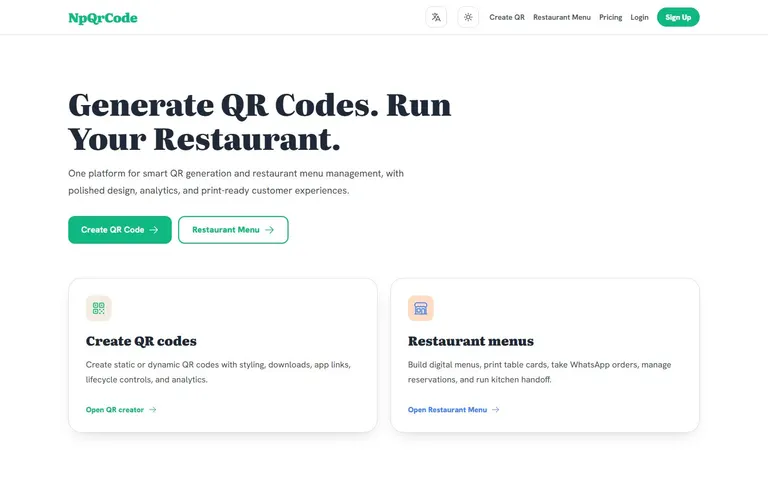
NPQRCode: QR codes for equipment records
Connect a physical label to the correct equipment or document reference.
Use case and features
For equipment coordinators, document controllers and site teams.
- Static and dynamic QR creation
- Styling, downloads and destination-link options
- A separate restaurant-menu workflow
Usage workflow
- Open NPQRCode and review the current interface and access requirements.
- Prepare a stable record identifier or approved destination link.
- Generate a label only with the available tools, then scan it and verify the destination before installation.
Example workflow
For an equipment record, choose a stable identifier and the authorized destination, then scan the printed label on a phone. Keep private records protected at their destination.
Account and access
The application offers QR creation, restaurant menus, Login, Sign Up and Pricing. Review account requirements for dynamic codes, downloads and other features before choosing a labeling process.
A QR label is an identifier, not proof of inspection or certification. Access control belongs to the linked system; do not place confidential information in a public code.
Frequently asked questions
Can a QR code be used on a scaffold tag?
It can link to the appropriate record where the site's process allows it. A code does not replace an inspection record or the site's physical release controls.
Does a code automatically keep equipment data current?
No. Assign an owner to maintain the destination record and check labels after changes.
Launch NPQRCodeLifting and scaffold guidesSupport and contact
Equipment QR codes and the records behind them
QR asset tagging connects a physical label with a record or destination. For equipment and scaffold identification, decide who owns the record, which identifier stays constant and who may read the linked information.
NPQRCode offers static and dynamic QR creation. Review current account terms for destination changes and downloads, then test the printed code against the intended record. Do not assume that a QR generator provides an equipment database, scaffold inventory or inspection approval.
Use a separate inventory process for stock quantities and site allocation. A QR label can point to a relevant record where your process permits it, but it does not certify the asset or maintain the destination information by itself.
Direct Contact
Egypt: +20 109 332 0000